Logo
  • Home
  • Text Tools
    • Bold Text Generator
    • Italic Text Converter
    • Title Case Converter
    • Reverse Text Generator
    • Whitespace Remover
    • Text to Binary
    • Speech to Text
    • Text to Speech
  • Image Tools
    • JPG to PDF
    • JPG to PNG
    • PNG to JPG
    • JPG to WebP
    • PNG to WebP
    • WebP to PNG
    • WebP to JPG
    • Image to Text
    • Image to Ascii Art
    • Resize Image
  • Utility Tools
    • Age Calculator
    • Code Formatter
    • Currency Converter
    • Number Sorter
    • Password Generator
    • QR Code Generator
AllConvertHub Logo

AllConvertHub is a free online tools platform offering fast and secure text, speech, and file converters. Easily use tools like case converter, bold and italic text generator, Speech to Text, Text to Speech (TTS), OCR, password generator, and more. Convert files such as JPG to PDF, JPG to WebP, Image to ASCII, and other formats instantly. AllConvertHub is simple, reliable, and 100% free to use - no signup required.

Tools

  • Bold Text Generator
  • Italic Text Generator
  • Title Case Converter
  • JPG to PDF
  • JPG to WebP
  • PNG to WebP
  • Image to Text
  • Speech to Text
  • Text to Speech
  • Speech to Text
  • Password Generator
  • Code Formatter
  • Currency Converter
  • Number Sorter

Quick Links

  • About
  • Contact
  • Privacy Policy
  • Terms of Service
  • Cookies
  • Disclaimer

Copyright © 2026 AllConvertHub.Com

Useful Resources:Latest Sarkari Result and Government Job Updates

Online Case Converter

If you often work with text, you know how frustrating it is to retype content just to fix formatting. A Case Converter helps you instantly transform text into different formats like UPPERCASE, lowercase, Title Case, or Sentence case with a single click.

Character Count: 0 || Word Count: 0 || Line Count: 0 || Minutes Read: 0.00

What Is a Case Converter?

A Case Converter is an online text formatting tool that changes the letter case of your content without altering the meaning. Instead of manually editing each word, you just paste your text, choose the format, and get instant results.

It's especially useful for:

  • Fixing accidental Caps Lock mistakes
  • Formatting titles and headings
  • Cleaning up copied content
  • Preparing professional documents
  • Creating stylish social media posts

Convert Case Online

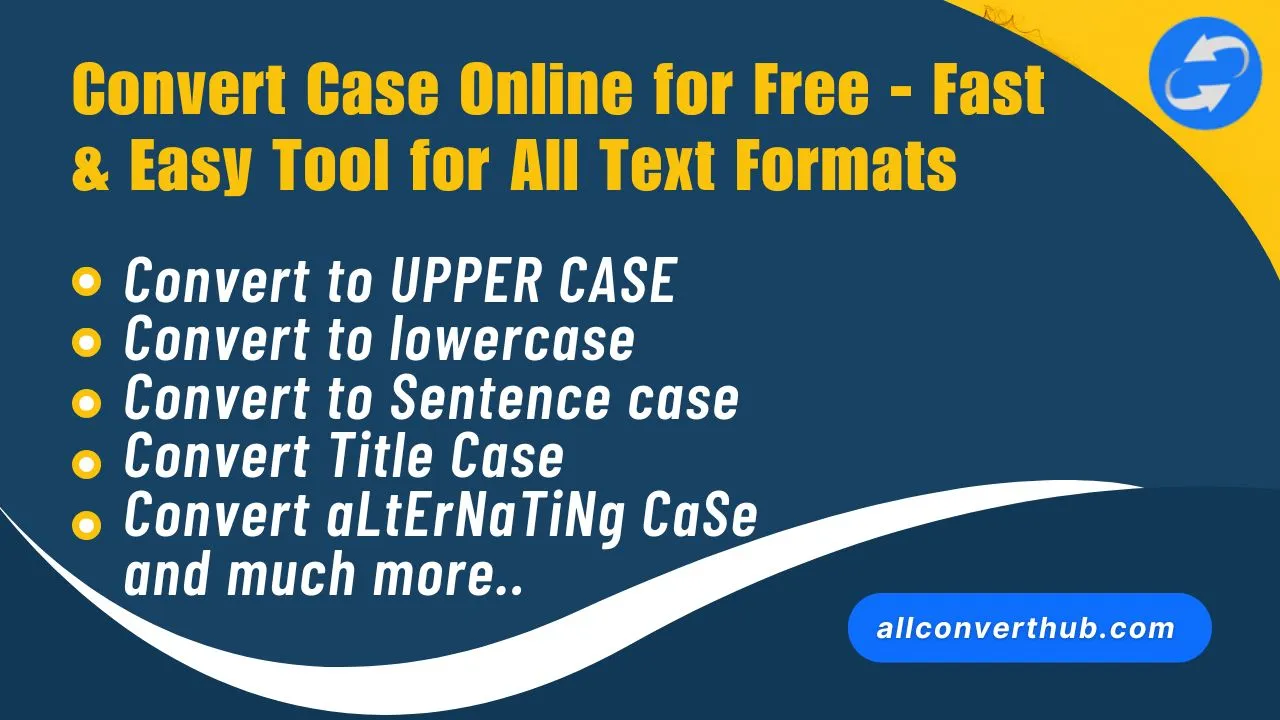
Do you want to change the format of text? Now you can easily convert case online for free on AllConvertHub - without any software or login. With this tool, you can convert any text to UPPER CASE, lower case, Sentence case, Title Case, or aLtErNaTiNg CaSe. Whether you are a student, content writer, developer, or digital marketer, this case convert tool saves you both time and effort.

Just paste the text and convert case online in one click. This tool runs smoothly on both mobile and desktop. This tool is very useful for correcting incorrect capitalization in large documents, making email or blog headings professional, and bringing copied content to a clean format. Thousands of users trust AllConvertHub every day because it is fast, secure, and completely free. Try it today and make your text look good and professional by converting case in minutes.

Why Use Our Case Converter?

In the digital world, presentation matters. Whether it's a social media post, a blog heading, or a professional document, the way your text looks can make a big difference. Our Case Converter allows you to easily change the case of your text to make it more visually appealing and suitable for different contexts. With just a few clicks, you can transform your content into the perfect format for any occasion.

Manually changing the case of text can be time-consuming and tedious, especially for large documents. Our online case converter eliminates this hassle by providing a fast and efficient way to convert your text into various cases. Whether you need to fix capitalization errors, format titles, or create stylish social media posts, our tool has you covered with instant results and a user-friendly interface.

Try our Case Converter today and see how easy it is to make your text look polished and professional in seconds. With support for multiple case formats and a seamless user experience, it's the perfect tool for anyone looking to enhance their content with just a few clicks.

case converter online

How to use case converter

Using our Case Converter is simple and straightforward. Just follow these steps:

  • Type or paste your text into the input box.
  • Click the button for the case format you want (e.g., UPPER CASE, lower case, Title Case).
  • Your text will be instantly converted to the selected case format in the output box.
  • Copy the converted text and use it wherever you need to make your content look more polished and professional.

Text Case Converter Tool

Easily change the case of your text with our free online Text Case Converter Tool. Whether you need to convert text to uppercase, lowercase, title case, or sentence case, our tool has got you covered. Simply paste your text into the input box, select the desired case format, and click the convert button. Instantly transform your text for emails, documents, social media posts, and more! No sign-up required - start converting your text case now! AllConvertHub.com

1️⃣

Convert to Sentence Case

Sentence Case

In Sentence case, the first letter of the beginning of every sentence is capitalized, the rest of the text remains in small letters. This format is commonly used in regular writing and is the most natural way to present text.

Example: “this is a sentence.” ➡️ “This is a sentence.”

Use Case: Best suited for blog articles, emails or professional documents.

2️⃣

Convert to Capitalized Case

Capitalized Case

This format capitalizes the first letter of every word. It is often used for titles, headings, or social media captions to make the text look more polished and professional.

Example: “this is a sample” ➡️ “This Is A Sample”

Use Case: Ideal for social media captions or titles.

3️⃣

Convert to UPPER CASE

Upper Case

In this format, all letters are converted to capital letters. It is commonly used for headings, alert messages, or banner text to grab attention and create emphasis.

Example: “Convert this text” ➡️ “CONVERT THIS TEXT”

Use Case: Use for headings, alert messages or banner text.

4️⃣

Convert to LowerCase

Lower Case

This option converts the entire text to small letters (lowercase letters). It is often used for coding, text formatting, or creating SEO-friendly slugs.

Example: “This Is Lower Case” ➡️ “this is lower case”

Use Case: Perfect for coding, text formatting or creating SEO slugs.

5️⃣

Convert to aLtErNaTiNg CaSe

Alternating Case

This format converts one letter of the text to capital and one to lower case. It is often used for fun and creative text styling, especially in social media posts or informal content.

Example: “this is fun” ➡️ “tHiS Is fUn”

Use Case: Great option for fun text styling.

6️⃣

Convert to Title Case

Title Case

The first letter of every important word is capitalized - just like a title. It is commonly used for blog post titles, YouTube titles, and SEO-friendly headings.

Example: “convert text case online” ➡️ “Convert Text Case Online”

Use Case: Essential for blog post titles, YouTube titles, and SEO friendly headings.

7️⃣

Convert to InVeRsE CaSe

Inverse Case

Converts capital letters to lowercase and lowercase letters to capital. It is often used for creating unique text effects or for stylistic purposes.

Example: “HeLLo WorlD” ➡️ “hEllO wORLd”

Use Case: For unique and creative text designing.

8️⃣

Remove Extra Spaces

Remove Extra Space

Removes unwanted spaces in the text and leaves just one space. It is often used for text cleanup, formatting, and website content optimization.

Example: “this is spaced text” ➡️ “this is spaced text”

Use Case: For text cleanup, formatting and website content optimization.

Online Text & Image Tools

Discover a powerful collection of free online text and image tools designed to make your daily tasks easier and faster. Easily reverse text, create bold or italic text styles, and format content that can be copied and used anywhere. Our image tools allow you to convert files like JPG, PNG, and WebP, extract text from images using OCR, create creative ASCII art, Age Calculator Calculate your exact age in years, months, and days, and convert images to PDF or modern formats with just one click.

You can also convert plain text to binary using our Text to Binary Converter, which is useful for students and developers. With the SpeechTexter tool, convert your voice to text in real time, supporting Hindi, English, and other languages. All tools work directly in your browser, are completely free to use, and require no sign-up, making them ideal for students, writers, developers, and digital marketers.

🔁 Reverse Text Generator

If you want to reverse your text (backwards to forward), this tool is perfect for you. Just type or paste your text - and instantly get its reverse version.

📌 Example:
“This is an example of backward text.” ➡️ .txet sdrawkcab fo elpmaxe na si sihT
Try Now

🅱️ Bold Text Generator

Want to make your text stylish and attractive? This tool turns your ordinary text into bold letters - copy and paste anywhere.

📌 Example:
This is normal ➡️ 𝗧𝗵𝗶𝘀 𝗶𝘀 𝗯𝗼𝗹𝗱
Try Now

Italic Text Converter

If you want to convert your text to italic or italic form - this tool is perfect. Just type and copy your text in beautiful italic form.

📌 Example:
This is italic ➡️ 𝘛𝘩𝘪𝘴 𝘪𝘴 𝘪𝘵𝘢𝘭𝘪𝘤
Try Now

🖼️ Image Conversion Tools

Do you have files like JPG, PNG or WebP? With our tools you can easily convert images from one format to another.

  • JPG to PDF,
  • JPG to WebP,
  • Image to Text,
  • ASCII Art Generator
Try Now

💻 Text to Binary Converter

Turn plain English into binary (0s and 1s) instantly. Type your text and get its exact binary representation based on ASCII values.

📌 Example:
Binary Code Translator ➡️ 01000010 01101001 01101110 01100001…
Try Now

🗣️ SpeechTexter (Speech to Text Tool)

Now speak and create text automatically. This free tool converts your voice to text in real-time. It saves your typing time while creating blogs, reports or notes.

📌 Supported Language:
Hindi, English and many other languages.
Try Now

Convert Case - FAQs

Yes, it is completely free with unlimited usage. No hidden costs or subscriptions.

No, your content is not stored or shared. All conversions happen in your browser for maximum privacy.

Yes, you can convert both small and large text easily. There is no character limit for conversion.

Yes, the tool is fully responsive and works on all devices. You can convert text on your phone, tablet, or desktop without any issues.

Absolutely! The converted text is copy-paste ready and can be used on all social media platforms, blogs, or any digital content.

You can use the tool as many times as you want, completely free of charge.
AllConvertHub

Welcome to the AllConvertHub

AllConvertHub is your one-stop destination for fast, reliable, and easy-to-use online text and file conversion tools. Our platform helps you transform text into multiple formats such as UPPERCASE, lowercase, Title Case, Sentence Case, and aLtErNaTiNg Case in just a single click. You can also generate stylish text using our bold text generator and italic text generator, reverse text instantly, or clean up content using the Whitespace Remover.

In addition to text tools, AllConvertHub offers powerful and secure file conversion solutions. Convert images effortlessly with tools like JPG to PDF, JPG to WebP, and Image to ASCII Art. Our advanced utilities also include Image to Text (OCR) for extracting text from images and an accurate Word Counter for writers, students, and professionals.

AllConvertHub is designed to be fast, lightweight, and user-friendly, with no sign-up or installation required. All tools are completely free and work directly in your browser, ensuring privacy and convenience. Whether you are a student, content writer, developer, designer, or digital marketer, AllConvertHub helps you save time and improve productivity with smart, efficient conversion tools.

🎯 Why choose AllConvertHub.com?

  • ✅ 100% free and online tool
  • ✅ No registration required
  • ✅ Fast and easy to use
  • ✅ Works on all devices - mobile, tablet, desktop
  • ✅ Privacy focused - we do not store your data
  • ✅ Useful for SEO content writers, web developers, and web designers
  • ✅ Perfect for coding, blogging and social post formatting

AllConvertHub - FAQs

AllConvertHub is a free, web-based collection of conversion tools—like text case, image formats, speech, code formatting, password generation, age calculator, code formatting and more—that work instantly without any software or sign-up.

You can convert text (case, reverse, whitespace removal, age calculator), images (JPG to PNG/WebP, JPG to PDF), speech-to-text, text-to-speech, generate passwords, format code and much more—completely online and free. All tools are designed to be fast, easy to use, and work directly in your browser for maximum convenience.

No. All tools are instantly accessible online with no registration or installation required. Just visit the tool you need, paste your content, and get the converted result in seconds.

Students, writers, developers, marketers, or anyone needing fast, easy conversions—AllConvertHub is designed for everyday users and professionals alike. Whether you need to format text for social media, convert images for a project, or generate passwords for security, AllConvertHub has you covered with a wide range of tools.

Yes - it works seamlessly on both desktop and mobile. Plus, it's fast, secure, and trusted by thousands of users daily. All conversions happen in your browser, and we do not store or share your data, ensuring your privacy and security while using our tools.